
Precision Gingivectomy Starts Before You Pick Up a Blade.
Digitally designed gingivectomy guides that help you achieve consistent, aesthetic outcomes—faster and with confidence.
New Doctors: Get $100 Off Your First Guide (Now $199)
Manufactured by a licensed U.S. dental lab
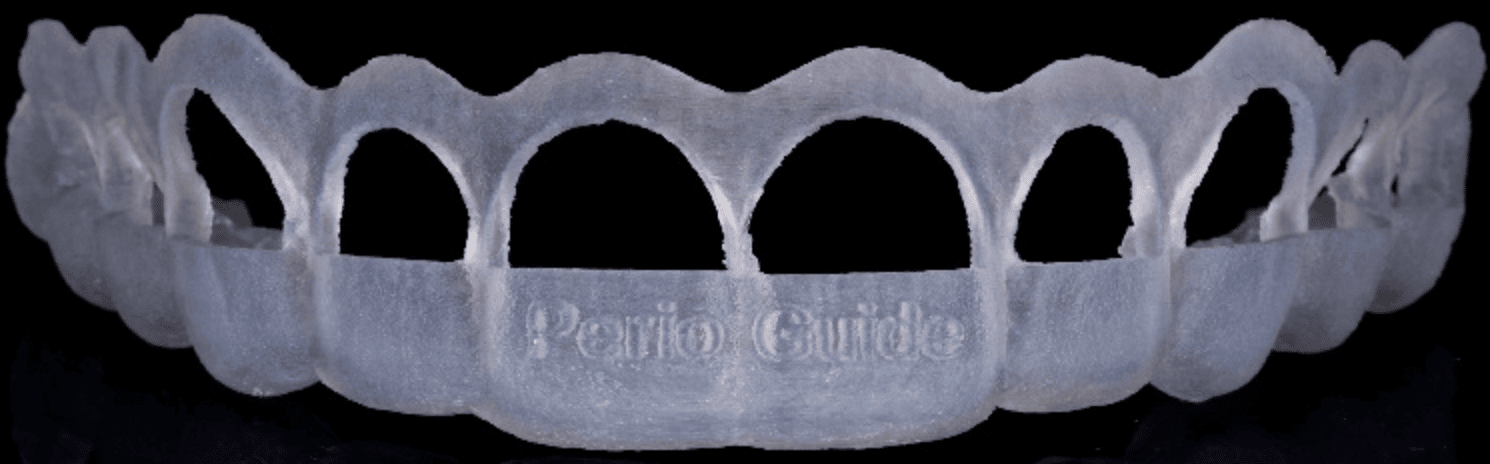
– THE PROBLEM
Why Freehand Gingivectomy Leads to Inconsistent Results
- Uneven gingival margins
- Over/under reduction risks
- Longer chair time
- Patient dissatisfaction with esthetics
- Limited predictability in smile design cases
There’s a better way to plan and execute soft tissue procedures.
– THE SOLUTION
Digitally Guided Gingivectomy for Predictable Results
- Exact reduction depth guidance
- Improved symmetry and esthetics
- Reduced chair time
- Increased confidence in complex cases
- Seamless integration with digital workflows
We design custom gingivectomy guides based on your digital scans and treatment plan—giving you a precise roadmap for tissue removal.
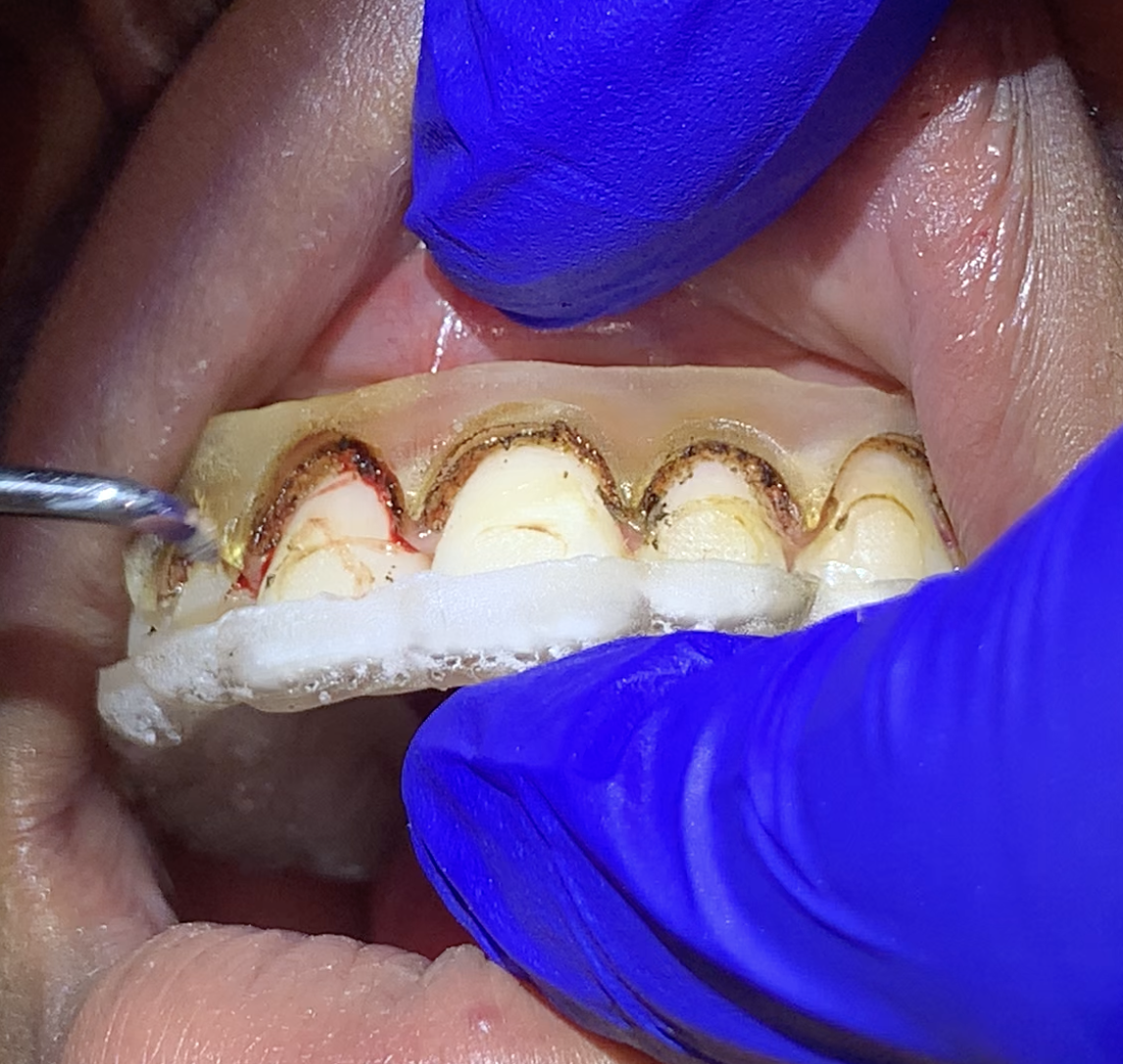
HOW IT WORKS
Step 1: Upload your scan or case
Step 2: Our team designs your custom guide
Step 3: Approve design (optional)
Step 4: We manufacture & ship
Step 5: Perform with confidence
Why Dentists Choose Iverson Dental Labs
- Licensed to manufacture gingivectomy guides (rare capability)
- Experienced digital design team
- Fast turnaround times
- Trusted by clinicians nationwide
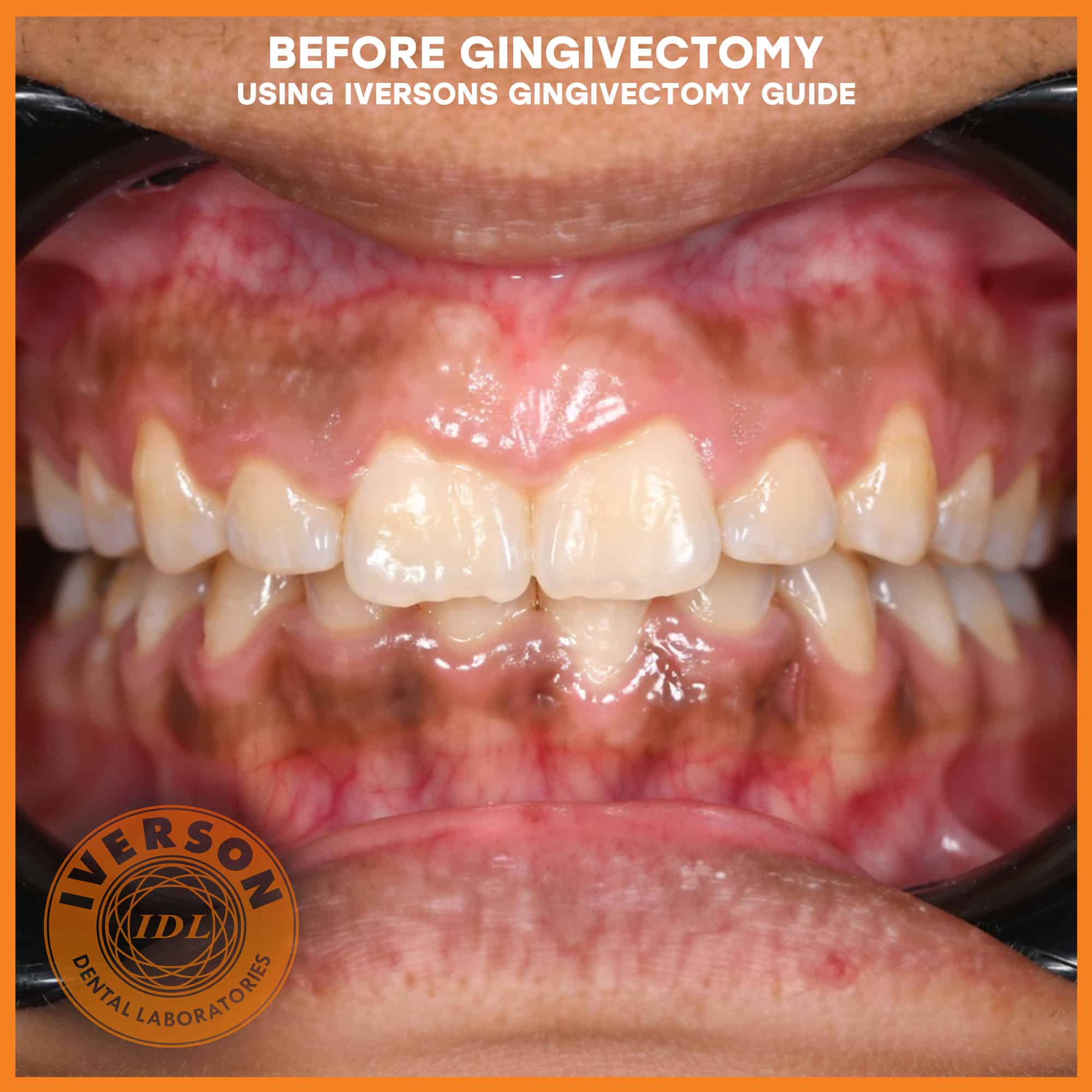
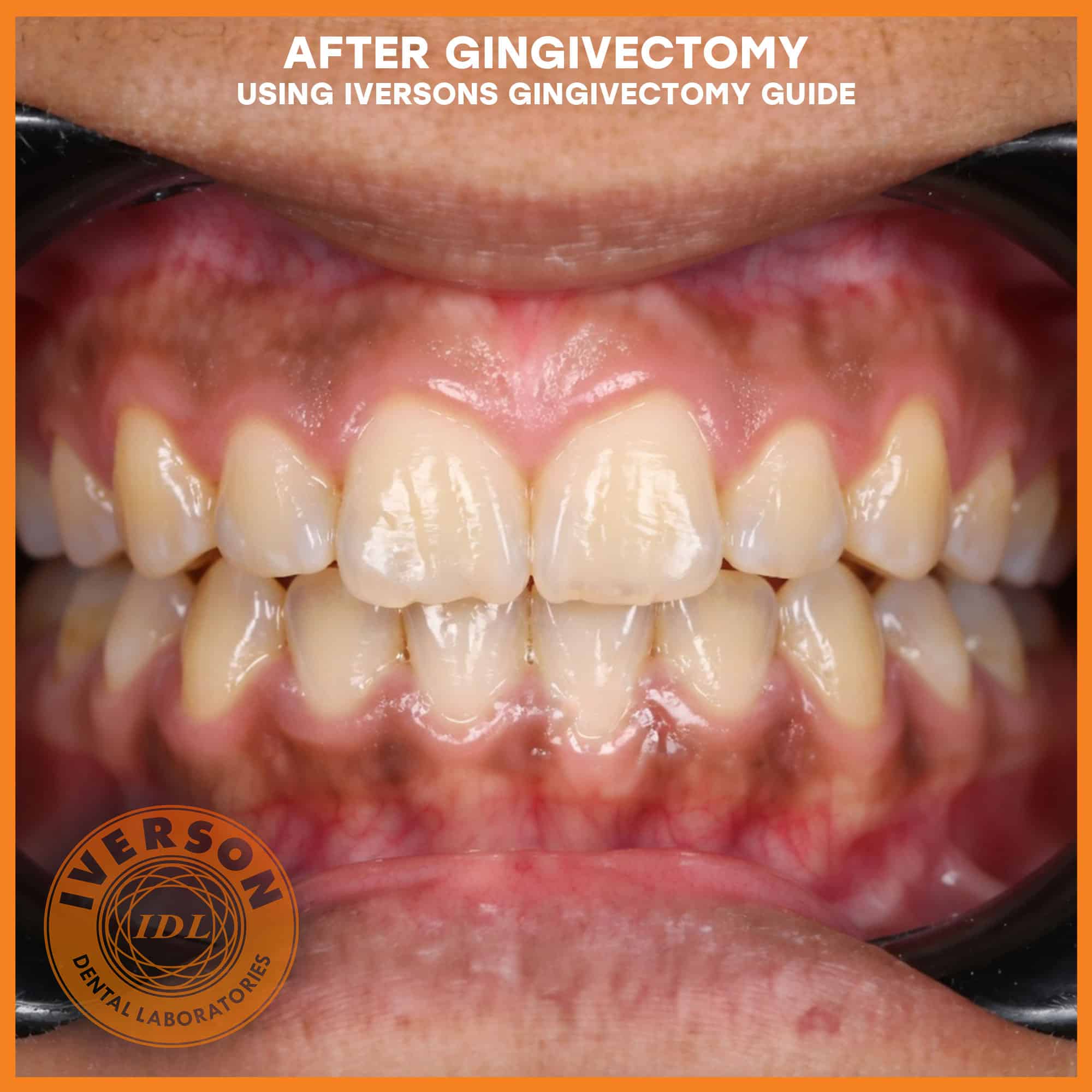
Clinician’s FAQ
Why use a guided approach for gingivectomies?
Guided surgery eliminates the guesswork in the aesthetic zone, ensuring symmetrical margins and protecting the biological width. This precision reduces chair time and enhances predictability for the final restorative phase.
Do I need a digital scanner?
The use of a digital scanner is preferred, but models or CBCT data are excepted as well.
What is the turnaround time for a 3D-printed guide?
Iverson Dental Lab utilizes a fully digital ecosystem to provide industry-leading speed. Expect a 3-5 day turnaround from the moment we receive and validate your digital impression scan.
PRICING + OFFER
Simple, Transparent Pricing
-
Standard Price: $299
-
New Doctor Offer: $199 (First Case Only)
Optional Add-ons:
-
Rush production
-
IDeaL Smile Design consultation
Your Next Gingivectomy Doesn’t Have to Be Guesswork
Start your first guided case today and experience the difference.
| Clinical Feature | Iverson Licensed Guides | Standard Free-Hand |
|---|---|---|
| Surgical Precision | Digital 1:1 CAD/CAM Accuracy | Visual Estimation |
| Biological Width | Protective Preset Margins | At-Risk for Encroachment |
| Chair-Time | 40-50% Reduction | Variable/Extended |
| Licensing | Authorized Manufacturer | Unlicensed/Manual |
| Predictability | High (Digital Preview) | Low (Post-Op Result) |